
Card surcharge changes are coming
From 1 October 2026, changes to surcharging will shift how you manage card fees
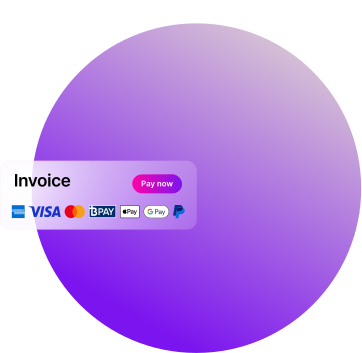
What's changing
Following their review of the card payments system, the Reserve Bank of Australia (RBA) has announced that surcharging be removed for domestic card payments made via eftpos, Mastercard, and Visa networks, including debit, prepaid, and credit cards.
- All three designated card networks, eftpos, Mastercard and Visa, have announced they will introduce no-surcharge rules from 1 October 2026.
- American Express has also announced their decision to remove surcharging from 1 October 2026.
What does this mean in MYOB
To support these industry-wide changes, we're updating MYOB Online Payments and Tap to Pay from 1 October 2026.
From this date:
- The surcharge option will automatically be removed from new and existing invoices.
- Your customers paying an invoice on or after 1 October 2026 will not be charged a surcharge.
- Updated Terms and Conditions will take effect from 1 October 2026.
You do not need to change these settings yourself. However, if you would prefer to remove surcharging before 1 October 2026, you can turn it off in your sales settings or on individual invoices.
Online Payment fee update
We’re reducing the percentage fee for Online Payments transactions. The new rate will apply to payments made on or after 1 October 2026.
| Current Rate | Effective 1 October 2026 |
| 1.8% of each invoice or instalment paid + 25c per transaction (inc GST) | 1.7% of each invoice or instalment paid + 25c per transaction (inc GST) |
.png?width=2000&height=1261&name=image%20(4).png "Payments Insights dashboard for online payments, filtered to “This month,” showing $957.23 received, 63 invoices created, 14 invoices paid, and payment timing metrics.")
See your Online Payments activity
Payment Insights gives you a summary of your Online Payment activity, helping you understand how customers are paying and how Online Payments are working for your business. You can see:
- The total value paid through Online Payments
- The number of invoices sent with Online Payments
- The number of invoices paid online
To find Payment Insights sign in to the merchant portal and click Insights.
Update multiple invoices at once
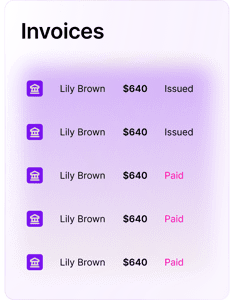
You can also use new bulk invoice actions to update existing invoices faster.
Instead of changing invoices one by one, you can update multiple invoices at once to:
- Add or remove Online Payment options
- Update surcharge settings across multiple invoices
- Prepare existing invoices ahead of 1 October
It’s a time-saving way to manage invoice settings before the change takes effect.
Get across the changes in our free webinar
Watch our recent webinar, RBA surcharge changes: what to expect from 1 October 2026, to understand what these industry changes mean for your business and and what to consider ahead of 1 October 2026.
We'll walk through practical steps you can take to prepare, what to expect in MYOB, answer common questions, and share resources to help you get ready.
What you'll learn
- What’s changing from 1 October 2026
- What this means for your business
- Key things to consider in preparing for the changes
- What to expect in your MYOB software over the coming months
- Where to find resouces and support as you prepare
Watch the recording
Enter your details to watch RBA surcharge changes: what to expect from 1 October 2026
Updated Terms and Conditions
As part of these changes, the MYOB Invoicing Service Terms and Conditions and Solo by MYOB Payment Channel Terms and Conditions have been updated, and will take effect from 1 October 2026.
The update clarifies how surcharging, fees and payment channel requirements apply, and does not change the core way customers use Solo's invoicing services.
What’s changing?
From 1 October 2026, businesses will no longer be permitted to charge customers a surcharge for payments made using eftpos, Visa or Mastercard prepaid, debit and credit cards.
This follows changes announced by the Reserve Bank of Australia, under which eftpos, Visa and Mastercard will introduce rules prohibiting card payment surcharges from 1 October 2026. Amex will also be adopting this same approach.
For MYOB, this means we will remove the option for businesses to pass Online Payments and Tap to Pay fees on to their customers as a surcharge from 1 October 2026.
Who is affected?
This affects Australian businesses that accept domestic eftpos, Visa, Mastercard or Amex payments.
It’s an industry-wide change.
That means payment providers, including MYOB, need to update their services.
Businesses that accept these payment methods will also need to follow the new rules.
When does the change start?
The new surcharge rules start on 1 October 2026.
There’s nothing you need to change in your software. Surcharging will be removed automatically from your invoices in MYOB Business, AccountRight, and Solo from 1 October 2026.
Why is the RBA making this change?
Following their review of the card payments system, the RBA concluded that the card surcharging rules are no longer working as intended.
The RBA’s proposed changes are intended to deliver a simpler and more consistent experience. Visit the RBA Conclusions paper for more information about their findings.
Which card networks are included?
The table below shows the card networks that have confirmed they are removing surcharging of domestic card payments:
|
Payment type |
Surcharging permitted before 1 October 2026 |
Surcharging permitted from 1 October 2026 |
|
eftpos (Debit and Prepaid) |
Yes |
No |
|
Mastercard (Credit, Debit and Prepaid) |
Yes |
No |
|
Visa (Credit, Debit and Prepaid) |
Yes |
No |
|
American Express (Credit) |
Yes |
No |
If anything changes on what has been announced so far, we’ll share those updates with you.
What does this mean for MYOB Online Payments and Tap to Pay?
From 1 October 2026, MYOB will be removing the option to surcharge Online Payments and Tap to Pay fees to your customers. That includes removing the surcharge toggle and related settings where they currently appear.
The exact experience may differ depending on which MYOB product you are using.
Does removing surcharging change how a payment is recorded and reconciled in MYOB?
Automatic matching of online payments will continue to work as it does today. To see a full explainer, including an example of when surcharging is off, visit this support topic.
Here is a summary on what happens when a customer pays you with Online Payments and how it is recorded in MYOB.
What happens when the customer pays you?
When a customer makes an online payment, the fees are deducted from the payment and the balance will be settled into your nominated bank account. The payment and fees will be automatically recorded in your software, and the associated invoice will be closed off.
How is a payment recorded in MYOB?
If you have bank feeds enabled, MYOB can automatically record payments received via online payments & Tap to Pay on your behalf.
When your customer makes a payment, a transaction is recorded in MYOB (where it’s recorded depends on how you’ve set up your file, and which MYOB product you are on).
When the funds are settled into your bank account, the transaction is matched automatically to the Fee & Payment categories you nominated when you first set up online payments and/or Tap to Pay.
How do I change my Online Payments settings?
You can adjust payment settings to suit your business needs. Customise your payment options to each job on a per-invoice basis by turning Online Payments on or off when you create a new invoice. You can also change the default setting for Online Payments for all new invoices in Sales Settings > Payments > Edit preferences. More on online payment settings
Note: Only the Business Owner or an Online Admin user can change the default online payment settings.
What is MYOB doing to help?
MYOB is working with payment partners and vendors to support the move to the new rules.
We’re removing surcharging functionality from relevant payment experiences to help businesses reduce their risk of using settings that don’t comply with the changes.
Does this mean MYOB Online Payments or Tap to Pay fees are being removed?
No. The fees associated with accepting payments through MYOB Online Payments or Tap to Pay are not being removed.
What's changing is the ability to surcharge, ie. pass those fees on to your customers as a surcharge. From 1 October 2026, eligible card payments can no longer include a surcharge, so the fee will no longer be added to your customer's payment.
What happens to invoices I've already sent with surcharging enabled?
The payment date is what matters.
If an invoice is paid before 1 October 2026, existing surcharge rules apply.
If an invoice is paid on or after 1 October 2026, any surcharge will be automatically removed, even if the invoice was created before that date.
Use of Online Payments and Tap to Pay in Solo by MYOB is subject to approval. Applications subject to approval. Fees apply (inc. GST): 1.8% of each invoice or instalment paid + 25c per transaction or 1.6% of each invoice or instalment paid + 30c per transaction for Tap to Pay.
This page provides general information for MYOB customers about upcoming changes to card surcharging rules affecting Online Payments and Tap to Pay. It is not legal or other professional advice. Requirements may change from time to time, and you are responsible for understanding and complying with applicable laws, card-network rules and payment-service terms. For more information, see the ACCC guidance on card surcharges and the relevant MYOB Invoicing Service Terms and Conditions or MYOB Tap to Pay Terms and Conditions.